# Image Overlay

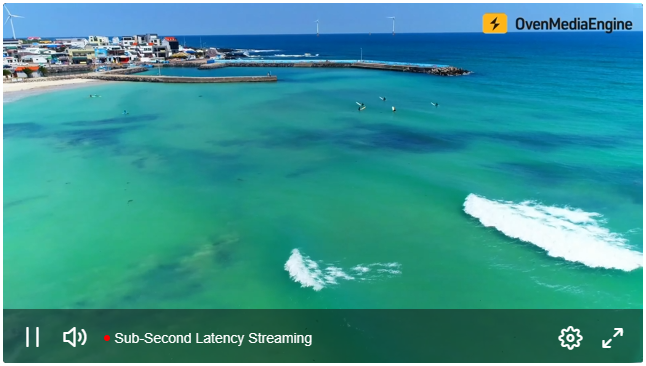
The Image Overlay feature lets you superimpose visual elements such as logos, watermarks, and banners on top of a stream in real-time. You can add, modify, or clear overlays through the REST API or XML configuration, and **precisely control each element’s position**, **size**, and **opacity**. It provides a simple way to handle scenarios like <mark style="color:yellow;">campaign swaps</mark>, <mark style="color:yellow;">emergency notices</mark>, <mark style="color:yellow;">brand reinforcement</mark>, <mark style="color:yellow;">on-screen information</mark>, and more.

* **Supported formats:** `PNG` (with alpha), `JPEG`
* **Image source URI schemes:** `http`, `https`, `file`&#x20;

## Image Overlay Configuration (XML)

When the Image Overlay feature is enabled in `Server.xml`, changes are applied automatically to new streams without restarting OvenMediaEngine Enterprise. Configure the XML as follows.

### Configuring Image Overlays in `Server.xml`

In `Server.xml`, configure `<Application><OutputProfiles><MediaOptions><Overlays>` as below:

```xml
<?xml version="1.0" encoding="UTF-8"?>
<Server version="8">
  ...
  <VirtualHosts>
    <VirtualHost>
      <Applications>
        <Application>
          <OutputProfiles>
            <MediaOptions>
              <Overlays>
                <Enable>true</Enable>
                <Path>overlay/OverlayInfo.xml</Path>
              </Overlays>
            </MediaOptions>
            ...
          </OutputProfiles>
          ...
        </Application>
      </Applications>
    </VirtualHost>
  </VirtualHosts>
</Server>
```

<table><thead><tr><th width="156">Element</th><th width="135">Value</th><th>Description</th></tr></thead><tbody><tr><td>Enable</td><td>true | false</td><td>Enables or disables the overlay feature.</td></tr><tr><td>Path</td><td>-</td><td>Specifies the path to the XML file that contains the overlay settings.<br><mark style="color:orange;">* Please see the <code>OverlayInfo.xml</code> example below.</mark></td></tr></tbody></table>

#### `OverlayInfo.xml` Configuration Example:

```xml
<?xml version="1.0" encoding="UTF-8"?>
<OverlayMap>
  <OverlayInfo>
    <Enable>true</Enable>
    <OutputStreamName>stream1*</OutputStreamName>                 <!-- Must -->
    <VariantNames>*_1080p,*_720p</VariantNames>                   <!-- Optional -->
    <Overlay>
      <Url>http://ovenmediaengine.com/overlay/image001.png</Url>  <!-- Must -->
      <Left>10</Left>                                             <!-- Optional -->
      <Top>10</Top>                                               <!-- Optional -->
      <Width>64</Width>                                           <!-- Optional -->
      <Height>64</Height>                                         <!-- Optional -->
      <Opacity>50</Opacity>                                       <!-- Optional -->
    </Overlay>
    <Overlay>
      <Url>http://ovenmediaengine.com/overlay/image002.png</Url>  
      <Left>(MAIN_W - OVER_W)/2</Left> 
      <Top>(MAIN_H - OVER_H)/2</Top>                              
      <Width>OVER_W/10</Width>                                    
      <Height>OVER_H/10</Height>                                  
      <Opacity>50</Opacity>                                       
    </Overlay>
  </OverlayInfo>

  <OverlayInfo>
    <Enable>true</Enable>
    <OutputStreamName>stream2*</OutputStreamName>               
    <VariantNames>h264_1080p</VariantNames>                       
    <Overlay>
      <Url>overlay/image003.png</Url> 
      <Left>10</Left>                              
      <Top>10</Top>                                
      <Width>64</Width>                            
      <Height>64</Height>                          
      <Opacity>50</Opacity>                        
    </Overlay>
  </OverlayInfo>  
  ...
  <OverlayInfo>
  </OverlayInfo>
  ...
</OverlayMap>
```

<table><thead><tr><th width="156">Element</th><th width="135">Value</th><th>Description</th></tr></thead><tbody><tr><td>Enable</td><td>true | false</td><td>Enables or disables the imgae overlay feature.</td></tr><tr><td>OutputStreamName</td><td>-</td><td>Specifies the output stream that will use the image overlay.<br><mark style="color:yellow;">* Select streams using the wildcard character (<code>*</code>).</mark></td></tr><tr><td>VariantNames</td><td>-</td><td>Option to select one or more tracks within the output stream for the image overlay. If omitted, the overlay applies to all video tracks in the output stream.<br><mark style="color:yellow;">* Select tracks using the wildcard character (<code>*</code>).</mark><br><mark style="color:yellow;">* Separate multiple tracks with commas (<code>,</code>).</mark></td></tr><tr><td>Url</td><td>-</td><td><p>URL (path) of the image file to render as the overlay. <br><mark style="color:yellow;">* Supported URI schemes: <code>http</code>, <code>https</code>, <code>file</code></mark></p><p><mark style="color:yellow;">* Relative paths are supported and are resolved relative to the configuration file’s location.</mark></p></td></tr><tr><td>Left, Top, Width, Height</td><td>-</td><td><p>Sets the position and size of the overlay image.<br><mark style="color:yellow;">* Original frame size macros: <code>MAIN_W</code>, <code>MAIN_H</code></mark></p><p><mark style="color:yellow;">* Overlay image size macros: <code>OVER_W</code>, <code>OVER_H</code></mark></p><p><mark style="color:yellow;">* Values accept arithmetic expressions: <code>+</code>, <code>-</code>, <code>*</code>, <code>/</code>, <code>()</code></mark></p></td></tr><tr><td>Opacity</td><td>0-100</td><td>Sets the opacity of the overlay image.<br><mark style="color:yellow;">* Closer to <code>0</code> means more transparent; closer to <code>100</code> means more opaque.</mark></td></tr></tbody></table>

## Using Image Overlay in Real-Time (REST API)

You can use the REST API to add, update, or clear overlays on a specific stream or on a track(s) within the stream in real-time. The available options and parameters are identical to those in the [XML configuration](#overlay-configuration-xml) above.

### Add Image Overlay

> **Request**

<details>

<summary><mark style="color:blue;">POST</mark> /v1/vhosts{vhost}/apps/{app}/streams/{stream}:startOverlay</summary>

```json
// Insert & Update Image
{
  "outputStreamName": "stream",
  "variantNames": ["video_1080","video_720"],
  "overlays" : [
       {
          "url": "http://ovenmediaengine.com/overlay/image001.png",
          "left": "10",
          "top": "10",
          "width": "180",
          "height": "64",  
          "opacity": 50
      },
      {
          "url": "overlay/image003.png",
          "left": "(MAIN_W - OVER_W)/2",
          "top": "(MAIN_H - OVER_H)/2",
          "width": "OVER_W/2",
          "height": "OVER_H/2",  
          "opacity": 50
      } 
  ]
}
```

#### Configuration Parameters (same as in the XML configuration)

<table><thead><tr><th width="156">Element</th><th width="135">Value</th><th>Description</th></tr></thead><tbody><tr><td>Enable</td><td>true | false</td><td>Enables or disables the imgae overlay feature.</td></tr><tr><td>OutputStreamName</td><td>-</td><td>Specifies the output stream that will use the image overlay.<br><mark style="color:yellow;">* Select streams using the wildcard character (<code>*</code>).</mark></td></tr><tr><td>VariantNames</td><td>array</td><td>Option to select one or more tracks within the output stream for the image overlay. If omitted, the overlay applies to all video tracks in the output stream.<br><mark style="color:yellow;">* Select tracks using the wildcard character (<code>*</code>).</mark><br><mark style="color:yellow;">* Separate multiple tracks with commas (<code>,</code>).</mark></td></tr><tr><td>Url</td><td>-</td><td><p>URL (path) of the image file to render as the overlay. <br><mark style="color:yellow;">* Supported URI schemes: <code>http</code>, <code>https</code>, <code>file</code></mark></p><p><mark style="color:yellow;">* Relative paths are supported and are resolved relative to the configuration file’s location.</mark></p></td></tr><tr><td>Left, Top, Width, Height</td><td>-</td><td><p>Sets the position and size of the overlay image.<br><mark style="color:yellow;">* Original frame size macros: <code>MAIN_W</code>, <code>MAIN_H</code></mark></p><p><mark style="color:yellow;">* Overlay image size macros: <code>OVER_W</code>, <code>OVER_H</code></mark></p><p><mark style="color:yellow;">* Values accept arithmetic expressions: <code>+</code>, <code>-</code>, <code>*</code>, <code>/</code>, <code>()</code></mark></p></td></tr><tr><td>Opacity</td><td>0-100</td><td>Sets the opacity of the overlay image.<br><mark style="color:yellow;">* Closer to <code>0</code> means more transparent; closer to <code>100</code> means more opaque.</mark></td></tr></tbody></table>

</details>

> **Responses**

<details>

<summary><mark style="color:blue;">200</mark> OK</summary>

**Header**

```http
Content-Type: application/json
```

**Body**

<pre class="language-json"><code class="lang-json"><strong>{
</strong>    "message": "OK",
    "statusCode": 200
}
</code></pre>

</details>

<details>

<summary><mark style="color:red;">400</mark> Bad Request</summary>

**Header**

```http
Content-Type: application/json
```

**Body**

<pre class="language-json"><code class="lang-json"><strong>{
</strong>    "message": "Could not parse json context",
    "statusCode": 400
}
</code></pre>

<pre class="language-json"><code class="lang-json"><strong>{
</strong>    "message": "No required parameters",
    "statusCode": 400
}
</code></pre>

</details>

<details>

<summary><mark style="color:red;">404</mark> Not Found</summary>

**Header**

```http
Content-Type: application/json
```

**Body**

<pre class="language-json"><code class="lang-json"><strong>{
</strong>    "message": "Could not found output stream",
    "statusCode": 404
}
</code></pre>

<pre class="language-json"><code class="lang-json"><strong>{
</strong>    "message": "Could not found track by variant",
    "statusCode": 404
}
</code></pre>

</details>

### Clear Image Overlay

You can clear all overlays applied to a specific stream or to a track(s) within that stream using the REST API.

> **Request**

<details>

<summary><mark style="color:blue;">POST</mark> /v1/vhosts{vhost}/apps/{app}/streams/{stream}:stopOverlay</summary>

```json
// Clear Overlays
{
  "outputStreamName": "stream",
  "variantNames": ["video_1080","video_720"],
}
```

#### Configuration Parameters (same as in the XML configuration)

<table><thead><tr><th width="156">Element</th><th width="135">Value</th><th>Description</th></tr></thead><tbody><tr><td>OutputStreamName</td><td>-</td><td>Specifies the output stream for which to disable the image overlay.<br><mark style="color:yellow;">* Select streams using the wildcard character (<code>*</code>).</mark></td></tr><tr><td>VariantNames</td><td>array</td><td>Option to select one or more tracks within the specified output stream for which to disable the image overlay. If omitted, the overlay applies to all video tracks in the output stream.<br><mark style="color:yellow;">* Select tracks using the wildcard character (<code>*</code>).</mark><br><mark style="color:yellow;">* Separate multiple tracks with commas (<code>,</code>).</mark></td></tr></tbody></table>

</details>

> **Responses**

<details>

<summary><mark style="color:blue;">200</mark> OK</summary>

**Header**

```http
Content-Type: application/json
```

**Body**

<pre class="language-json"><code class="lang-json"><strong>{
</strong>    "message": "OK",
    "statusCode": 200
}
</code></pre>

</details>

<details>

<summary><mark style="color:red;">400</mark> Bad Request</summary>

**Header**

```http
Content-Type: application/json
```

**Body**

<pre class="language-json"><code class="lang-json"><strong>{
</strong>    "message": "Could not parse json context",
    "statusCode": 400
}
</code></pre>

<pre class="language-json"><code class="lang-json"><strong>{
</strong>    "message": "No required parameters",
    "statusCode": 400
}
</code></pre>

</details>

<details>

<summary><mark style="color:red;">404</mark> Not Found</summary>

**Header**

```http
Content-Type: application/json
```

**Body**

<pre class="language-json"><code class="lang-json"><strong>{
</strong>    "message": "Could not found output stream",
    "statusCode": 404
}
</code></pre>

<pre class="language-json"><code class="lang-json"><strong>{
</strong>    "message": "Could not found track by variant",
    "statusCode": 404
}
</code></pre>

</details>

## Image Overlay Usage Examples

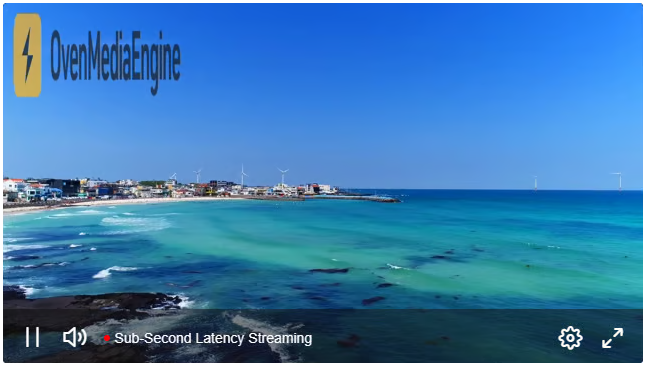
The examples below either use explicit values or leverage macros and expressions.

#### #01. Overlay an image with a fixed size at the top-left of the screen.

* Size: 500\*250
* Opacity: 70

```xml
...          
  <Overlay>
    <Url>http://ovenmediaengine.com/overlay/ome.png</Url>  
    <Left>32</Left> 
    <Top>32</Top>                              
    <Width>500</Width>                                    
    <Height>250</Height>                                  
    <Opacity>70</Opacity>                    
    </Overlay>
...
```

<figure><img src="https://content.gitbook.com/content/xo7moYXTh3yBG01Dy49w/blobs/X1aRqdFtQd0TWr7ANRgP/image.png" alt=""><figcaption></figcaption></figure>

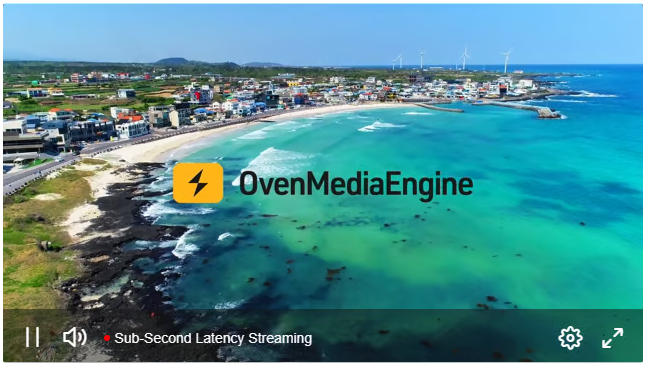
#### #02. Overlay the original image centered on the screen.

* Size: Original
* Opacity: 100

```xml
...          
  <Overlay>
    <Url>http://ovenmediaengine.com/overlay/ome.png</Url>  
    <Left>MAIN_W/2 - OVER_W/2</Left> 
    <Top>MAIN_H/2 - OVER_H/2</Top>                              
    <Width>OVER_W</Width>                                    
    <Height>OVER_H</Height>                                  
    <Opacity>100</Opacity>                    
    </Overlay>
...
```

<figure><img src="https://content.gitbook.com/content/xo7moYXTh3yBG01Dy49w/blobs/wKlucjhKnusjGefQWkm5/image.png" alt=""><figcaption></figcaption></figure>

#### #03. Overlay the image at 50% size at the top-right of the screen.

* Size: ½ (half of the original)
* Opacity: 100

```xml
...          
  <Overlay>
    <Url>http://ovenmediaengine.com/overlay/ome.png</Url>  
    <Left>MAIN_W - (OVER_W/2) - 32</Left> 
    <Top>32</Top>                              
    <Width>OVER_W/2</Width>                                    
    <Height>OVER_H/2</Height>                                  
    <Opacity>100</Opacity>                    
    </Overlay>
...
```

<figure><img src="https://content.gitbook.com/content/xo7moYXTh3yBG01Dy49w/blobs/JIXqZXgB5Ex5hzy3APwi/image.png" alt=""><figcaption></figcaption></figure>